Scan Your Ears: New Duolingo English Test Ear-Scanning Rule
The Duolingo English Test (DET) has implemented a new mandatory ear-scanning rule, effective December 2025, requiring all test takers to use their smartphone camera to scan both ears before starting the exam. This article explains the DET’s new ear-scanning rule, outlining its purpose, step-by-step process, and essential preparation tips for test takers.
Purpose of DET Ear Scanning
The core purpose of DET ear scanning is to verify that test takers are not using wireless earbuds or any other audio-receiving devices during the exam. By scanning both ears through the smartphone camera, the DET proctoring system can effectively detect unauthorized devices.
DET Ear Scanning Detailed Operation Steps
Preparation
Before starting your DET, please ensure your smartphone is ready and the camera function is working properly.
Scanning Process
Step 1: Launch the DET Desktop Application
· Open the Duolingo English Test (DET) desktop application
· Sign in with your DET account
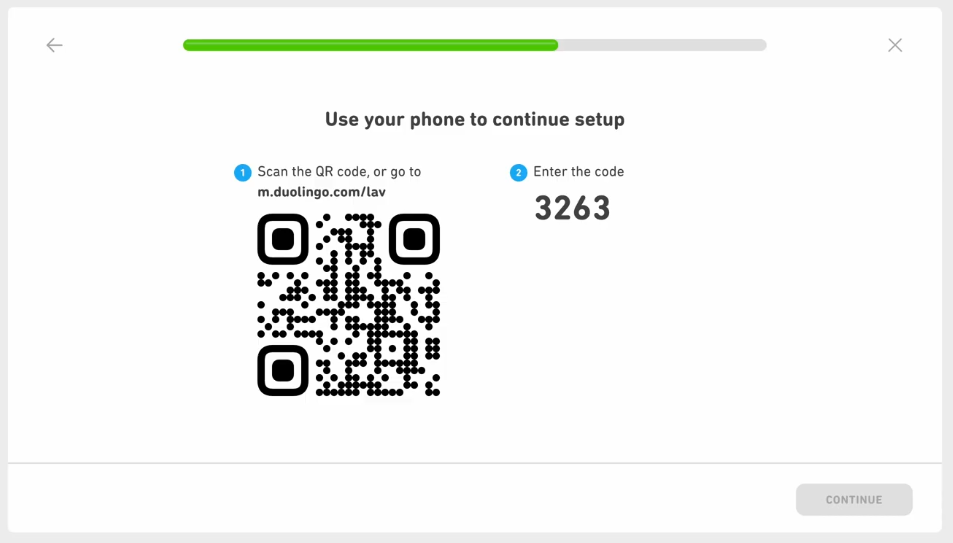
Step 2: Enter the Ear Scanning Stage
· Follow the DET system prompts step by step until you receive instructions to scan your ears
· Have your smartphone ready at this point
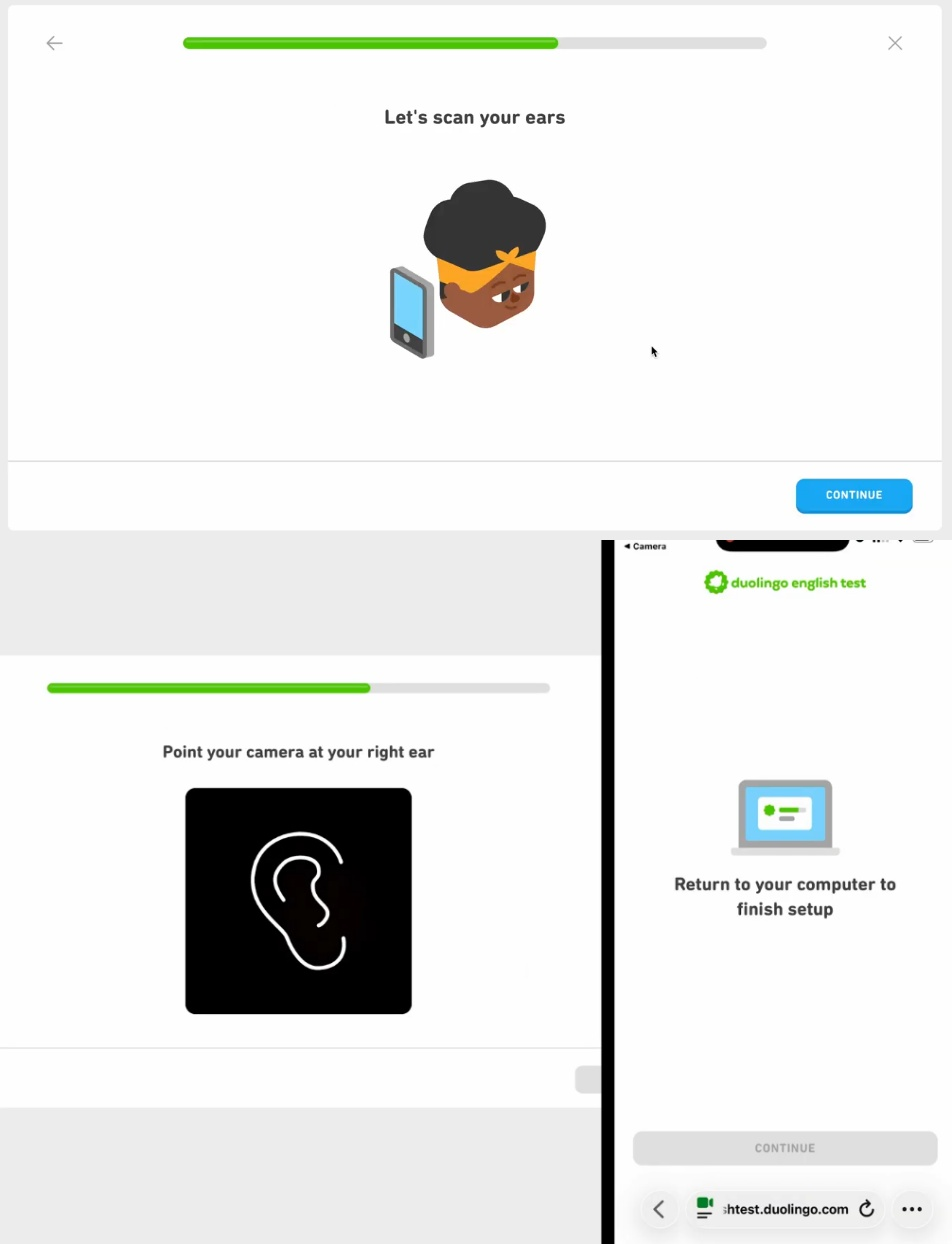
Step 3: Scan Your First Ear
· Point your phone camera at one of your ears
· Ensure your ear is positioned in the center of the camera frame displayed in the DET desktop app
· Keep your phone steady and wait for the system to complete recognition
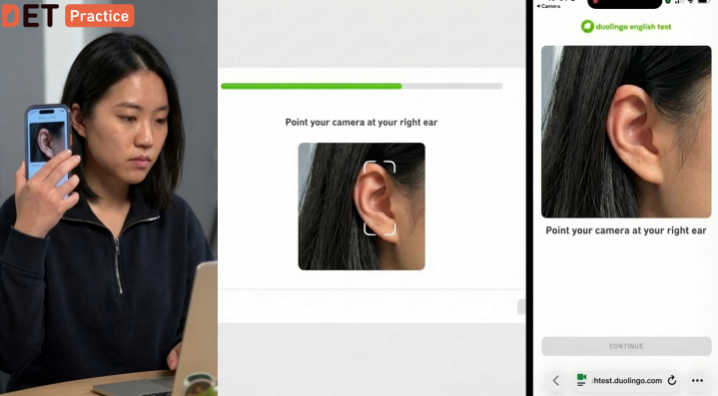
Step 4: Close-range Verification
· After the scan is complete, move your phone close to your ear
· Hold the phone close to your ear as if you were making a call, and wait for the system confirmation.
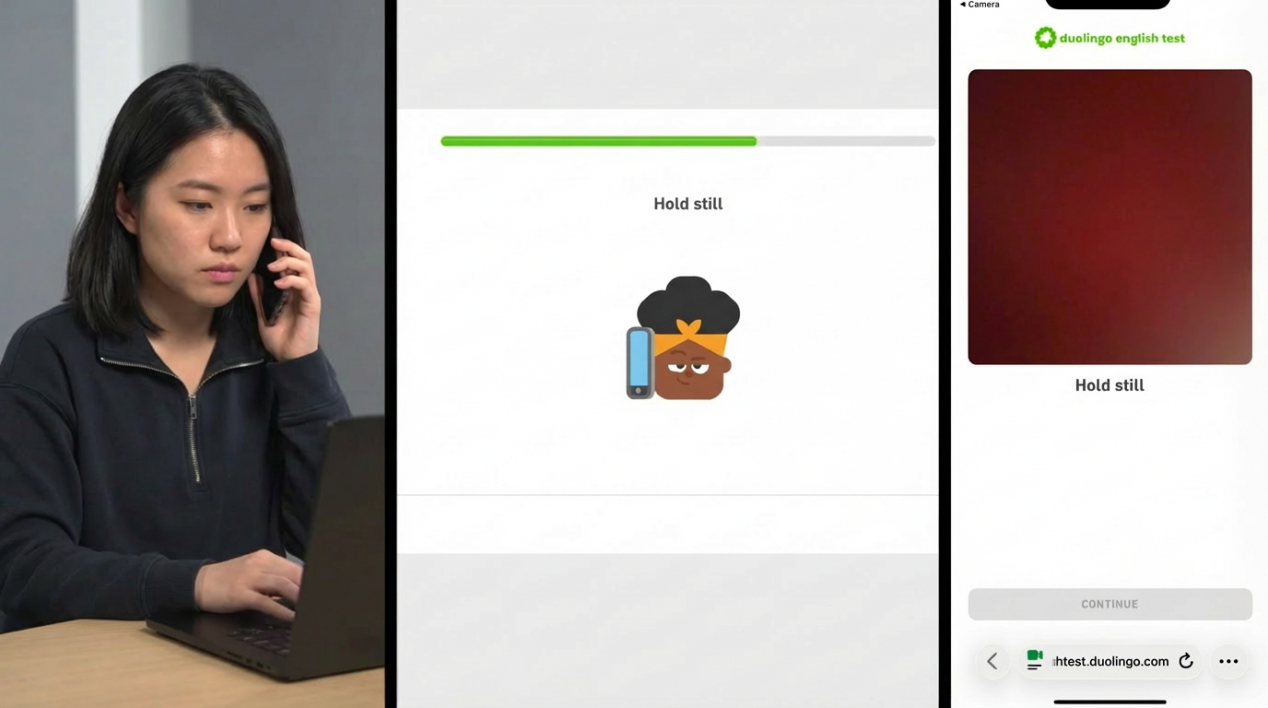
Step 5: Scan Your Other Ear
· Repeat steps 3 and 4
· Perform the same scanning and verification on your other ear
For more detailed video instructions on the ear scanning process, you can visit the official Duolingo English Test website.
DET Ear Scanning Implementation Timeline
It's worth noting that the DET ear scanning feature will be rolled out in phases. The Duolingo English Test plans to gradually enable this feature for all test takers over the course of several weeks. If you do not see the ear scanning requirement in your current DET, it means the feature has not yet been activated for you, and you do not need to complete this process.
DET Recommendations
To ensure smooth completion of the DET ear scanning verification, test takers are advised to:
1. Test in Advance: Before officially taking the DET, ensure your phone camera is functioning properly
2. Adequate Lighting: Choose a well-lit DET environment for better camera recognition
3. Stay Steady: Keep your phone stable during the DET scanning process to avoid blurry images
4. Read Instructions Carefully: Follow each step according to the DET system screen prompts
5. Allow Extra Time: Considering the newly added DET verification steps, plan your exam time in advance
Summary
DET ear-scanning verification is an important measure introduced to maintain fairness in the exam. Although it adds a few extra preparation steps, the process is simple and straightforward. Test takers only need to follow the system prompts to complete the verification and begin the exam.
In addition to ear scanning, DET also requires test takers to perform a room scan (Scan Your Room), using the phone camera to conduct a 360-degree scan of the exam environment to ensure the testing environment meets requirements.
With the full implementation of these security measures, the Duolingo English Test (DET) will further enhance its credibility and recognition, providing test takers with a more secure and equitable testing environment.